
Fandango - Buy Movie Tickets
FandangoEntertainment
4.788.65K Reviews
- Version
- 17.2
- Installs
- 10.00M
- Age Rating
- Teen
Screenshots
Our Review of Fandango - Buy Movie Tickets
 Analysis by Appyee
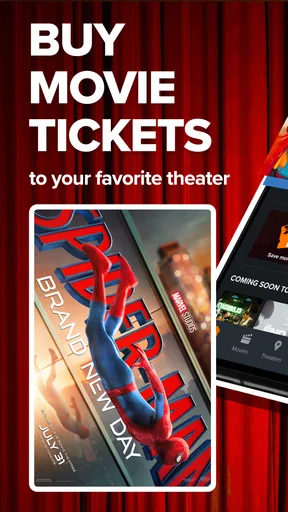
Planning a cinema trip often sounds simple until I have to compare showtimes, choose seats, check the theater, and make sure everyone in the group is looking at the same screening. Fandango brings those steps into one entertainment app, with movie tickets, local showtimes, and seat reservations at participating theaters. I found it most useful when I already knew roughly what I wanted to see and needed to turn that decision into a confirmed outing without jumping between several theater apps.
It is a free app from Fandango, aimed at Teen users, and it is available for Android devices running version 9 or later. The current release is version 17.2. Its broad appeal is clear: the app has passed ten million installs, with an average rating of 4.7 from around 540 thousand ratings and roughly 89 thousand written reviews. Those figures do not replace personal experience, but they do suggest that this is a well-established choice rather than a niche ticketing tool.
My overall impression is positive, especially for people who visit different theaters instead of staying loyal to one chain. The main benefit is not simply buying a ticket. It is having a practical way to make a cinema decision while I am away from a desktop: find a nearby option, compare times, select seats when available, and keep the booking process together. The trade-off is that the experience depends on the theater and screening selected, so the app cannot make every part of a movie night equally smooth.
How Fandango feels during a real movie search
When I search for a movie, I find it easier to make a good choice if I settle the practical limits first: how far I’m willing to travel, what time works, and whether the group needs seats together. That keeps a wide set of listings from becoming an endless comparison exercise. I then use the results to weigh convenience against the screening itself, before moving on to the choices that matter most at checkout.
Quick enough for the first decision
The first thing I want from a movie app is a fast answer to a basic question: what can I watch nearby, and when? Fandango is built around that decision rather than making me browse through unrelated entertainment content. I can approach it from the film I want to see or from the theater area I am considering, which suits two different habits. If a friend has already suggested a title, I can look for screenings. If I am simply free that evening, I can compare local options.
That focus makes the app feel more efficient than visiting separate theater websites one by one. A chain-specific app may be the better place for someone who always uses the same cinema, but Fandango makes more sense when location and availability matter more than brand loyalty. I especially like that seat selection is part of the same journey rather than an afterthought that requires another screen or service.
I would not describe every search as instantly effortless. Movie listings involve several choices, and a busy evening can produce a long set of showtimes to scan. The practical trick is to narrow the search early: decide whether I care most about the title, the distance, the time, or the seating arrangement. Without that small bit of discipline, the convenience of having many options can turn into scrolling.
Useful for last-minute plans, with one important caveat
A realistic use case is a Friday evening when I finish work later than expected and want to meet friends at a cinema without lengthy coordination. I can check the film, compare nearby times, and look at seat availability before asking everyone to commit. That is more useful than sending a vague message saying, “Which theater works?” because the group can discuss a specific screening and seating layout.
For a spontaneous visit, I would still leave a little time between opening the app and entering the auditorium. The app can help me find and reserve a screening, but it cannot remove practical delays caused by traffic, a crowded lobby, or a group that changes its mind. I also would not wait until the last possible moment if the screening is important. A digital booking is convenient, but a rushed purchase gives me less room to correct a wrong date, time, or theater choice.
Where the app saves more effort than a theater website
The strongest workflow is comparison. When several cinemas are within reasonable reach, I can look for a time that fits my schedule instead of checking each theater independently. That is a meaningful advantage over relying on a single chain’s app. The usual alternative—searching the web and then moving into a theater’s own checkout—can work, but it often creates a fragmented process. Fandango gives that comparison a clearer starting point.
There is also a social benefit. Before buying, I can use the chosen showing and seats as the basis for a group conversation. In practice, this helps avoid the familiar problem of one person buying a ticket for a convenient time while everyone else expected a different theater. The app does not organize the entire group for me, but it makes the key information easier to share verbally or through whatever messaging tool I already use.
The busiest moments are not always the same
Performance matters most when demand is high: a popular new release, a weekend evening, or a screening where preferred seats are disappearing quickly. In those moments, I care less about decorative design and more about whether the app lets me move from a listing to a seat choice without unnecessary hesitation. Fandango’s value is greatest when it reduces the number of separate decisions and pages involved in that process.
Heavy use can also mean something more personal: checking several movies and theaters before choosing. That kind of browsing is more demanding than looking up one known title. I find it sensible to make the broad decision first—movie or theater—then use the app for confirmation. Repeatedly switching between every possible combination is slower for the user, even when the app itself is working normally.
One non-obvious trade-off is that convenience can encourage over-comparison. Seeing multiple theaters and times is helpful, but it can make a simple outing feel like a scheduling exercise. My approach is to set a limit: choose the nearest acceptable theater, the best suitable time, and the seats that work for the group. Fandango supports comparison well, but it does not decide when more comparison stops being worthwhile.
Recovery when plans change
Movie plans are unusually vulnerable to small changes. A friend may be late, the group may prefer another time, or I may realize that I selected the wrong location. That is why I treat the review screen as an important checkpoint rather than rushing through it. Before completing a booking, I carefully verify the title, theater, date, time, and seats. This is a simple habit, but it prevents the most frustrating kind of ticketing mistake: a perfectly successful purchase for the wrong screening.
If the app closes or the connection becomes unreliable during a transaction, I avoid immediately repeating the purchase. I first check whether the booking went through using the information available in the app and any confirmation details associated with the transaction. Duplicating a purchase out of panic is a worse recovery strategy than pausing and checking. This is not a special Fandango trick; it is the sensible way to handle any digital ticket purchase.
The app is most dependable when I use it as a focused booking tool rather than repeatedly restarting searches. If I have already selected a showing, I keep the details handy and return to that exact choice instead of rebuilding the entire search. That reduces confusion and makes recovery easier if I am interrupted by a phone call or a weak connection.
Stability in ordinary use
In normal browsing, Fandango feels like a purpose-built utility rather than an app that asks me to learn a complicated system. The basic path—find a film or theater, inspect showtimes, choose seats, and reserve—matches the way I think about a cinema trip. That familiarity contributes to perceived speed because I spend less time wondering what to do next.
Reliability also depends on keeping the information current enough for a real booking decision. Showtime availability can change as other customers buy seats, so I regard a listing as a live planning aid rather than a promise that every option will remain open indefinitely. If I am booking for several people, I make the decision promptly once the group agrees. Waiting too long after finding suitable seats can undermine the very convenience the app provides.
I appreciate that the app does not need to be treated like a full entertainment hub. If I only want to reserve seats, I can keep my visit task-oriented. That helps on a phone, where excessive browsing can make a simple transaction feel heavier than it needs to be. People looking for extensive film discussion or a replacement for their streaming library may find the experience narrower, but that narrowness is part of its usefulness for ticket planning.
What to expect on older or limited devices
Because the minimum operating system is Android 9, the app is not intended for every older Android phone. That requirement is worth checking before planning to depend on it during a night out. On a compatible device, the practical questions are less about gaming-level performance and more about available storage, battery, network quality, and whether the phone remains responsive while switching between the app and messages or maps.
I would not expect a movie-ticket app to be a major resource burden compared with a graphics-heavy game, but I still avoid opening it with a phone that is already struggling. A nearly full device, aggressive battery-saving settings, or an unstable mobile connection can make any checkout feel slow. For an important booking, I prefer using a device that is charged and connected reliably, especially if I am reserving several seats.
Another useful device habit is to avoid changing too many things at once. I keep the selected theater and showtime visible, use the app for the reservation, and only then switch to navigation or messaging. This reduces the chance of losing track of which screening I chose. The app handles the ticket search; my phone’s other tools handle travel and coordination. Separating those jobs makes the whole experience calmer.
How it compares with the usual alternatives
The closest alternatives are a theater’s own app, a mobile browser search, or buying at the cinema. Each has a situation where it makes sense. A theater app may be preferable if I always visit one chain and want its particular loyalty or account experience. A browser is useful when I do not want another app installed or when I am using a computer. Buying at the theater can suit someone who decides spontaneously and does not care about choosing seats ahead of time.
Fandango is strongest between those extremes. It is more convenient than manually checking several theater sites, while remaining more focused than a general entertainment platform. Its main weakness is that it adds a middle layer between me and the theater. When something about a particular location matters, the theater’s own information may be the more direct reference. I therefore use Fandango for discovery, comparison, and reservation, but I still pay attention to the exact theater details shown before confirming.
It is also not the ideal choice for people who dislike digital ticketing, prefer to make every decision at the box office, or rarely need to compare venues. The app’s value grows with the complexity of the outing. For one regular theater and a familiar weekly time, a direct routine may be simpler. For mixed locations, group plans, or a need to secure seats before arriving, Fandango earns its place more easily.
Who will get the most from it
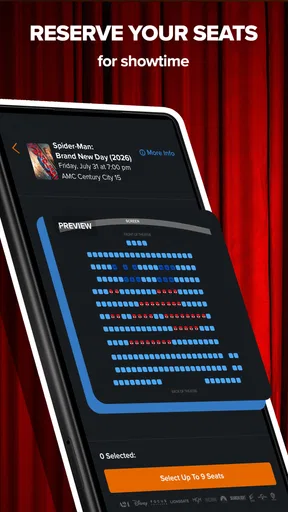
I would recommend it to moviegoers who want a single starting point for nearby showtimes and who appreciate choosing seats before they arrive. It is particularly useful for couples and groups, because the seat map and screening details can settle practical questions before anyone leaves home. Parents and caregivers may also value being able to plan the theater and time in advance, although the Teen content rating is a reminder that the app itself is not specifically designed as a children’s product.
It suits occasional moviegoers as well as regular visitors because there is no cost to install or use the app itself. The free price makes it easy to keep available for the next cinema plan, even if I only open it every few weeks. That said, free does not mean every person needs it. Someone who already has a smooth direct relationship with one theater may gain little from adding another booking route.
Small habits that improve the experience
My first tip is to decide the acceptable travel range before browsing. Otherwise, a slightly earlier showtime at a farther theater can look attractive until the journey becomes inconvenient. My second is to choose the screening before debating individual seats. A good seat at an impractical time is not a good booking, and the reverse is also true.
For group reservations, I count the people and agree on the seating preference before opening checkout. This is a small but valuable workflow improvement: it prevents the group from discovering halfway through the process that someone needs an aisle seat or that two people expected to sit together. I also recheck the theater name because nearby locations can be easy to confuse when several options appear in one search.
Finally, I save enough time to review the completed reservation rather than treating the confirmation step as an ending I can skip. I want to know which movie, location, time, and seats I actually purchased. That final glance is especially important when I was comparing several screenings, and it makes the app more reliable in practice because I am using its information carefully.
My performance verdict
Fandango delivers the kind of performance I want from a ticketing app: focused, practical, and centered on reaching a decision without unnecessary detours. Its perceived speed comes from combining theater comparison, showtime browsing, and seat reservation in one place. It is most valuable during busy planning moments, when checking multiple venues manually would take longer and create more opportunities for confusion.
I would not choose it solely because I expect every booking situation to be frictionless. Theater availability, changing seat choices, network conditions, and my own rushed decisions still affect the result. The app also cannot replace the direct relationship some users prefer with a single cinema chain. Those are meaningful limitations, but they do not cancel out the central convenience.
For me, the best reason to install it is simple: when I want to see a movie and have more than one realistic theater or time to consider, Fandango makes the comparison and reservation process easier to manage. The free app from Fandango is a sensible companion for planned cinema trips, especially when seats matter. If my movie routine is already handled perfectly by one theater’s app or by buying at the counter, I would skip the extra layer. Otherwise, this is a capable entertainment utility that turns a loose movie idea into a more organized plan.
Verdict
Strengths of Fandango - Buy Movie Tickets
- Browse showtimes and buy tickets from your phone.
- Supports many theaters and movie formats in one app.
- Digital tickets make theater entry quick and convenient.
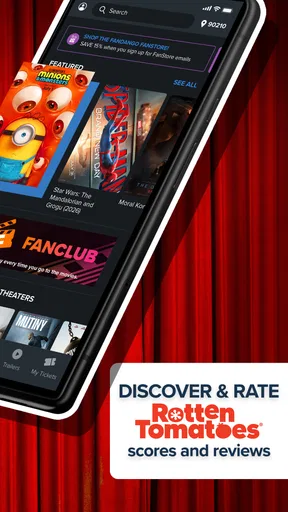
- Movie trailers, ratings, and details help with planning.
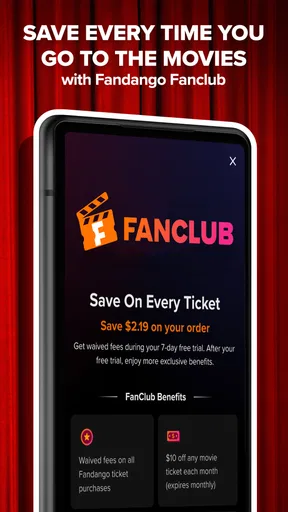
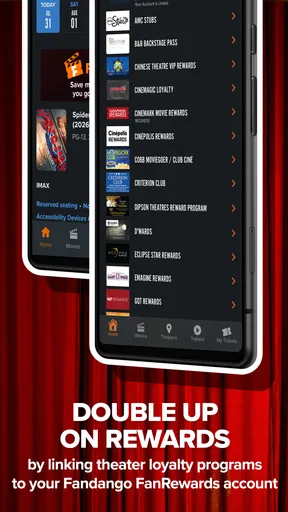
- Fandango rewards can provide discounts and promotional benefits.
Limitations of Fandango - Buy Movie Tickets
- Some theaters charge additional online convenience fees.
- Availability and features can vary by theater and location.
- Refund and cancellation rules depend on the selected theater.
- The app may request location and notification permissions.
- Busy periods can cause slower loading or checkout issues.
Other Releases by Fandango
View All
Rotten Tomatoes - Movies & TV
Entertainment4.4
Similar Picks in This Category
View All
Google Play Games
Google LLC3.9

Netflix
Netflix, Inc.4.8

YouTube Kids
Google LLC4.2

Disney+
Disney4.4

Prime Video
Amazon Mobile LLC4.7

Steam
Valve Corporation3.2
Frequently Asked Questions
What is Fandango – Buy Movie Tickets used for?
Fandango is a movie-ticketing app that lets you browse films, theaters, showtimes, trailers, ratings, and reviews in one place. After choosing a movie and screening, you can select available seats and purchase tickets directly from your phone. It is designed to make planning a cinema visit faster than checking each theater’s website separately.
Can I choose my seats and use mobile tickets at the theater?
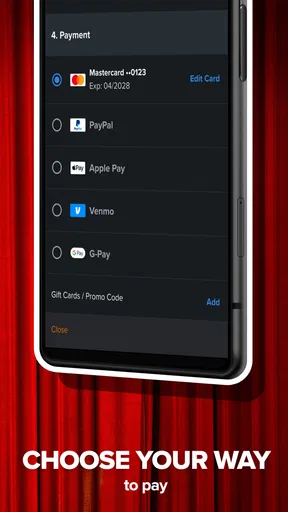
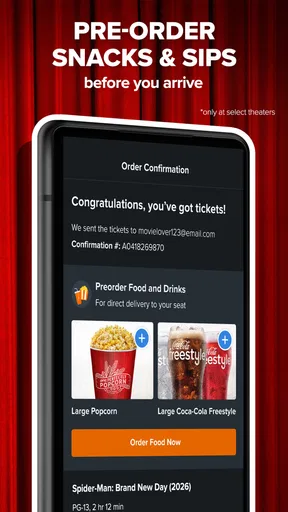
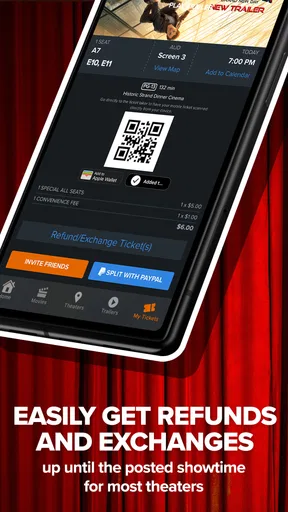
At participating theaters, Fandango allows you to view the auditorium layout and select specific seats before completing your purchase. Once the order is confirmed, your ticket is generally available in the app or through the confirmation email. At the cinema, you can show the barcode on your phone, although some locations may require a kiosk or box-office exchange.
Does Fandango charge additional fees when buying tickets?
A convenience fee may be added to your order, and the exact amount can vary depending on the number of tickets, theater, movie format, and promotional conditions. Before payment, Fandango displays the order total so you can review the ticket prices, taxes, and fees. Some memberships, promotions, or eligible offers may reduce or waive certain charges.
Can I cancel or change a Fandango ticket after purchasing it?
Cancellation and exchange options depend on the theater, showtime, ticket type, and the conditions shown during checkout. In many cases, eligible tickets can be canceled before the screening begins through the app or website, but convenience fees may not always be refundable. It is important to open your order details and check the applicable policy before requesting a refund.
Is Fandango available at every movie theater and on all devices?
Fandango covers a large number of participating theaters, but availability is not universal, so a local cinema may be missing or offer only limited showtimes. The service is primarily available through Android and iOS apps, as well as its website. Features such as seat selection, mobile entry, rewards, and special formats can also differ by theater and location.
